• Hey Guest. Check out your NeoGAF Wrapped 2025 results here!

SFF build under the TV

Buhaj

Member
I have been using my PS5 Pro less and less in recent months, and now, looking at recent exclusives, what is in the pipeline, and lack of discs (no cheap gaming) from 2028, I am considering a PC, especially that there are classics I never played and would like to. I would ideally keep the PC under the TV, so SFF builds would be best. Can you recommend any cases? I saw Lian Li H2O and Fractal Ridge are recommended, ideally I would like something with depth not higher than 33-34 cm, that might be tough. If such setup is not practical or too expensive vs mid-tower, then I will reconsider.
In terms of power, I think SFF builds are probably best with GPUs at max 250W power envelope, so I suppose max Radeon 9070? Anyway, would be good to utilize 4k 120fps at least in games like HL2 or GTA 4.
 
I recently got a PC, and as soon as I set it up, I decided to test it out in the living room to see what that "plug and play" feeling is like when you go from being comfortably at your desk and gaming chair with your monitor to an LG TV in the living room.

The experience couldn't have been more unpleasant (Windows 11). I'm sorry, but consoles still reign supreme in the living room when it comes to comfort.
 
First, I have to deal with the Windows 11 desktop on a 55" OLED TV and having to keep a keyboard and mouse nearby.

Windows 11's HDR is a complete GARBAGE (configuration) to set up compared to a PlayStation 5.

My main gaming setup is a 1440p OLED monitor, but if I go to the living room, I play on a 4K OLED TV, which means I have to reconfigure ALL the graphics settings to optimize them for the new resolution.
 
Last edited:
The amount of folks struggling to use a pc in a home theater capacity is mind boggling. Do people really not understand how to use a computer if they are not sitting at a desk?

If you are deep in to the steam eco system Big Picture Mode fixes 95% of "interface" issues people complain about.
For the other 5% of issues out there get one of these wireless media keyboards.

OP, don't listen to any of the bullshit, using a PC on "the big screen" is largely the same as using it on your desk with a monitor. Yes, you have to adjust to the formfactor, but if you are going to be using a controller for playing your games in the living room anyway then the need to have a standalone mouse and keyboard practically vanish.

People not understanding how to adjust gameplay settings on a case by case basis is a clear indicator of their lack of PC gaming knowledge in general.

Yes there is a learning curve, yes everyone's hardware is different, YES you need to tweak settings to meet your particular game play experience/needs.

OP you can do this and you will be happy you did.
 
Last edited:
First, I have to deal with the Windows 11 desktop on a 55" OLED TV and having to keep a keyboard and mouse nearby.

Suspicious Kenan Thompson GIF


Dude if you want console experience, you either put steam as a priority boot as soon as you enter steam and go big screen, or a partition with SteamOS even. But the former I did for years and years with the PC under the TV. Never used mouse and keyboard

Windows 11's HDR is a complete GARBAGE (configuration) to set up compared to a PlayStation 5.

That I wouldn't know, but surely there's topics on that?

My main gaming setup is a 1440p OLED monitor, but if I go to the living room, I play on a 4K OLED TV, which means I have to reconfigure ALL the graphics settings to optimize them for the new resolution.

First world problems lol

If you keep the Pc under the TV permanently like OP wants, it's a non issue
 
First, I have to deal with the Windows 11 desktop on a 55" OLED TV and having to keep a keyboard and mouse nearby.

Windows 11's HDR is a complete GARBAGE (configuration) to set up compared to a PlayStation 5.

And don't even get me started on how, since it's not my primary PC gaming setup, I have to adjust the graphics settings for every game because I'm not keen on playing at 1440p on a 4K screen.
lol....I expected as much.
HDR is a one time configuration (one profile per display ...and it`s quick and easy?) and if you don`t want to you never have to see the desktop if you just directly boot into the full screen mode of Steam or another launcher of your choice, and ofc you don´t need a m&KB then, either.....
And switching graphics settings when you are switching between vastly different resolution displays, how exactly is that a PC problem?

A fixed setup would always boot into a big picture mode and not switch resolution settings all the time.
 
Last edited:
I have been using my PS5 Pro less and less in recent months, and now, looking at recent exclusives, what is in the pipeline, and lack of discs (no cheap gaming) from 2028, I am considering a PC, especially that there are classics I never played and would like to. I would ideally keep the PC under the TV, so SFF builds would be best. Can you recommend any cases? I saw Lian Li H2O and Fractal Ridge are recommended, ideally I would like something with depth not higher than 33-34 cm, that might be tough. If such setup is not practical or too expensive vs mid-tower, then I will reconsider.
In terms of power, I think SFF builds are probably best with GPUs at max 250W power envelope, so I suppose max Radeon 9070? Anyway, would be good to utilize 4k 120fps at least in games like HL2 or GTA 4.
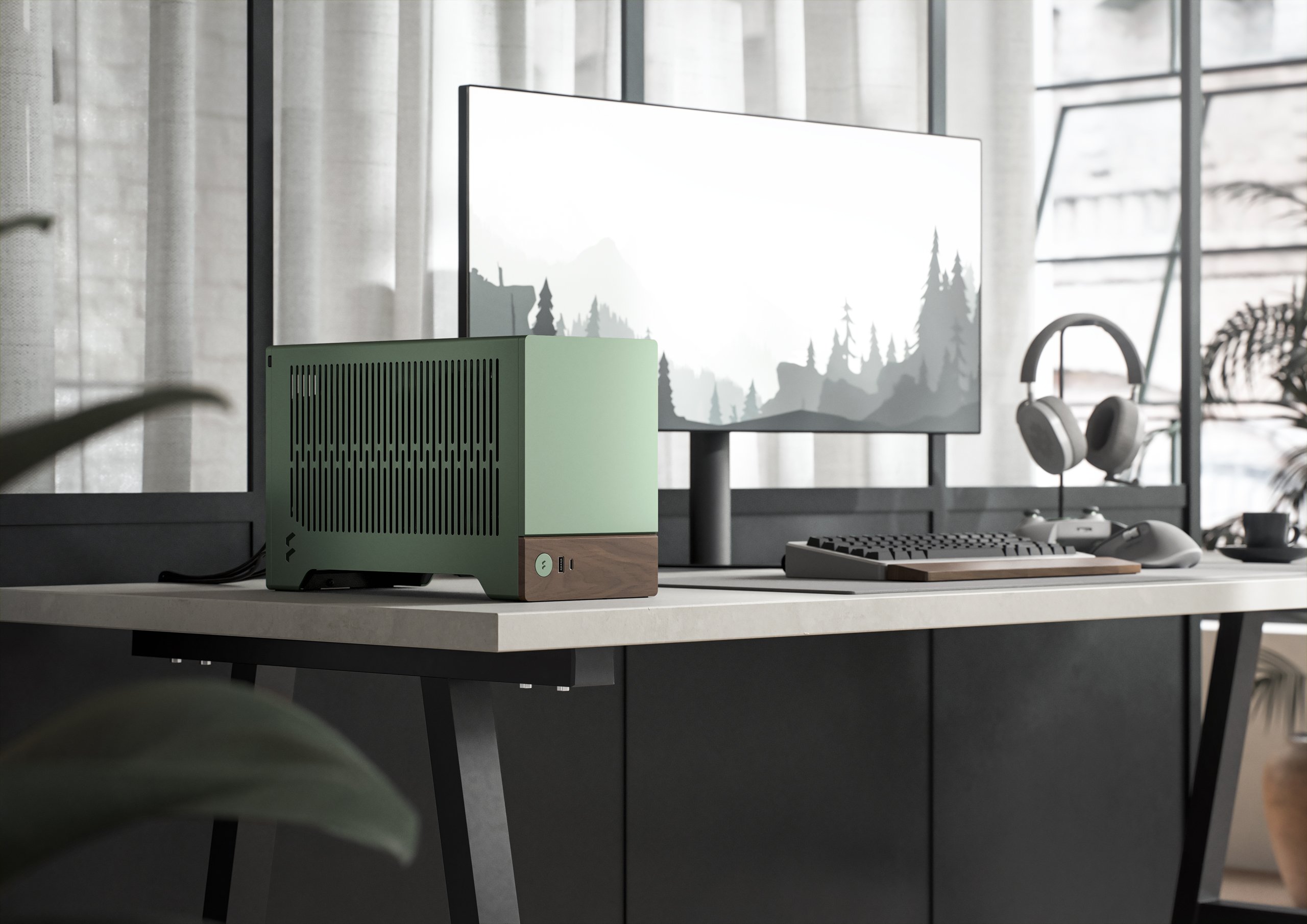
I have a build in a Fractal Terra (amazing case) with a 5600x and a RTX 4070S and it's great. The Terra is very adaptable since it has a middle "spine" that can move to make more room for GPU or the CPU cooler. I set up a curve with the app Fan Control, and I've never once run into heat or noise issues.

You could always install Bazzite or SteamOS if you choose AMD (Nvidia support is in beta for Bazzite and in development for SteamOS) but what I do is just set Windows to login automatically without a password, and then I have Steam set to launch at login and then boot into Big Picture Mode.

My pc isn't exclusively a tv pc but I have it set up for easy use on my tv because I rarely ever use anything outside of Steam itself.

I can't praise the Terra enough. Mine is Jade but it comes in black or silver too.
 
Last edited:
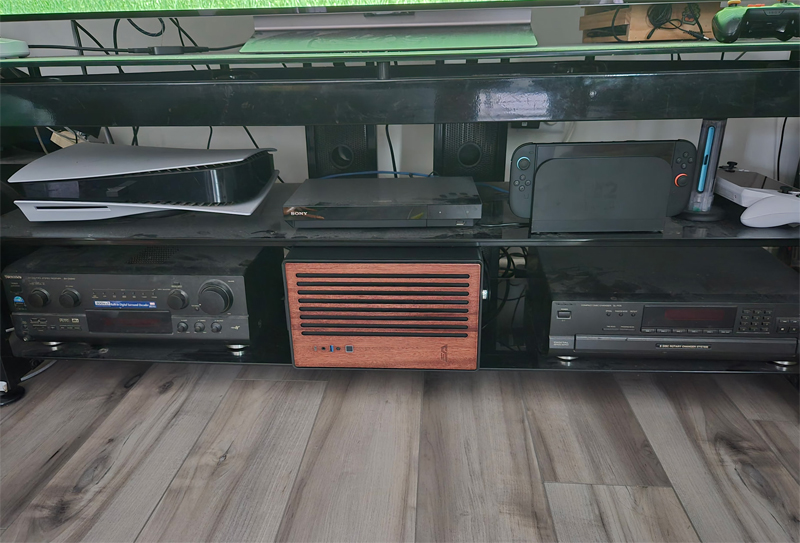
My SFF build under the TV that I just recently finished with X870i, 9600x, 5070 FE in the Formd T1 case. With a full boot up to windows full experience so I don't use the keyboard and mouse ( non plugged in it )

I play Forza H6, Tekken 8 online and some other games on it.
37gVrjqUMQjnAGxQ.jpg
 
Last edited:
My SFF build under the TV that I just recently finished with X870i, 9600x, 5070 FE in the Formd T1 case. With a full boot up to windows full experience so I don't use the keyboard and mouse ( non plugged in it )

I play Forza H6, Tekken 8 online and some other games on it.
37gVrjqUMQjnAGxQ.jpg

Man, when the Form D T1 first got their first batch sales as the guy behind it was figuring out all of the engineering and production side of it during COVID times, I was one of the lucky few that got in the line. Sadly, Chinese production issues and defects later, he culled down and delayed the thing to oblivion so I cancelled my order and went with another case. But the T1 was the first case I ever saw that made me go "holy shit" and really focused on scoring a custom SFF.
 
I have a build in a Fractal Terra (amazing case) with a 5600x and a RTX 4070S and it's great. The Terra is very adaptable since it has a middle "spine" that can move to make more room for GPU or the CPU cooler. I set up a curve with the app Fan Control, and I've never once run into heat or noise issues.

You could always install Bazzite or SteamOS if you choose AMD (Nvidia support is in beta for Bazzite and in development for SteamOS) but what I do is just set Windows to login automatically without a password, and then I have Steam set to launch at login and then boot into Big Picture Mode.

My pc isn't exclusively a tv pc but I have it set up for easy use on my tv because I rarely ever use anything outside of Steam itself.

I can't praise the Terra enough. Mine is Jade but it comes in black or silver too.
That is a great looking case.

As far as gaming on a PC. Its super simple to do with and without a K/M setup, even with Windows. Don't listen to people who say it is a terrible experience.
 
My SFF build under the TV that I just recently finished with X870i, 9600x, 5070 FE in the Formd T1 case. With a full boot up to windows full experience so I don't use the keyboard and mouse ( non plugged in it )

I play Forza H6, Tekken 8 online and some other games on it.
37gVrjqUMQjnAGxQ.jpg

this kind of build would cost around 1700 Eurodollars, am I right ?
 
I built a PC for my living room just 2 weeks ago. I honestly love it. I used this case. It fits pretty well in my entertainment center. It hangs out about half an inch while still leaving room in the back for air flow. I could definitely live with that. It was kind of weird that it only came with a single case fan, so I had to buy a few more. Make sure you really think about how you're going to keep it cool in the space that you plan to put it in.
z0wc4YQ8ZAPZShdV.jpg

... Pardon my dust. I was due to dust everything today and probably should have done that before taking the picture...


The case was on sale for around $65 when I got it, but I see its up to $100 on Amazon right now. I didn't want to go crazy with it because of the cost of everything, so I went with a 5800XT paired with a RTX 5070 and 32 Gb of ram. It kind of hit the sweet spot I was hoping for with price vs performance. Everything runs great that I've thrown at it. If you're really serious about making one, definitely just watch prices. I ended up pulling the trigger on this build mostly because the processor and ram dropped enough. I felt like a fool spending $200 for 32 gigs of ram, but it could have been much worse if I went with a DDR5 system. 3 years ago, 32 gigs cost me $80. And thankfully I had a spare M.2 drive laying around...

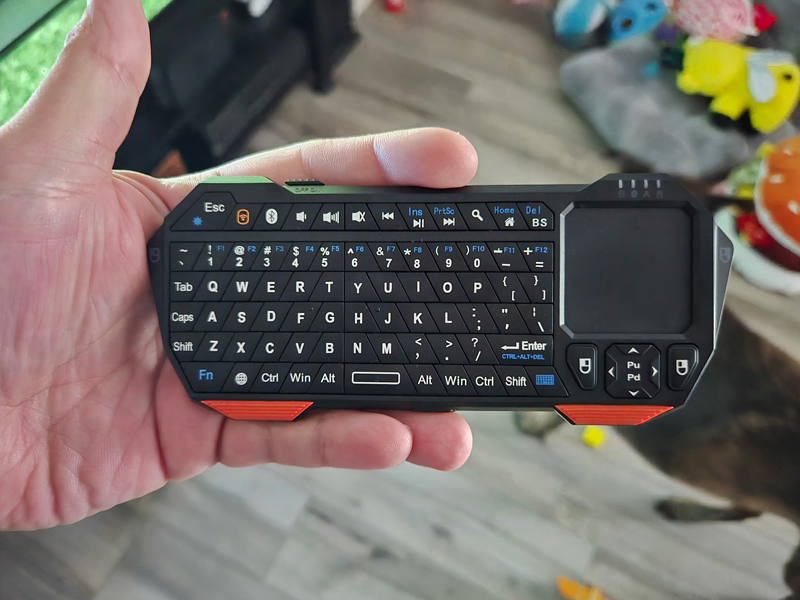
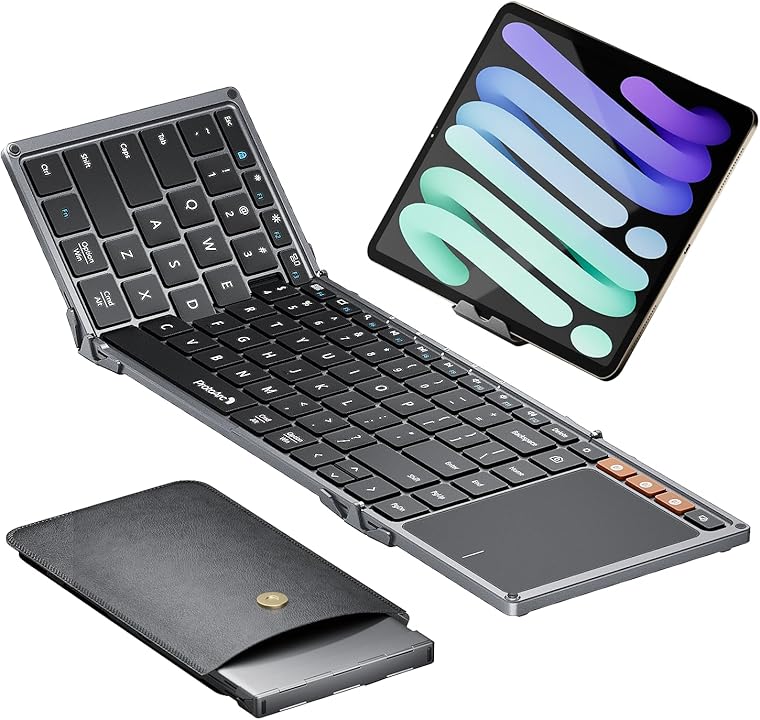
Just make sure you think about inputs if you do go through with it. I would recommend looking for a SFF keyboard to go with it. It makes life so much easier. I bought this:
ZvQPNrSm8p5pRra5.jpg


It's not the best and it has some quirks, but it works for getting me in to Steam and GOG.

And set Steam to load in Big Picture Mode on startup. That helps a lot.

I love the PC, and honestly I wish I built one sooner.
 
Suspicious Kenan Thompson GIF


Dude if you want console experience, you either put steam as a priority boot as soon as you enter steam and go big screen, or a partition with SteamOS even. But the former I did for years and years with the PC under the TV. Never used mouse and keyboard


That I wouldn't know, but surely there's topics on that?


First world problems lol

If you keep the Pc under the TV permanently like OP wants, it's a non issue

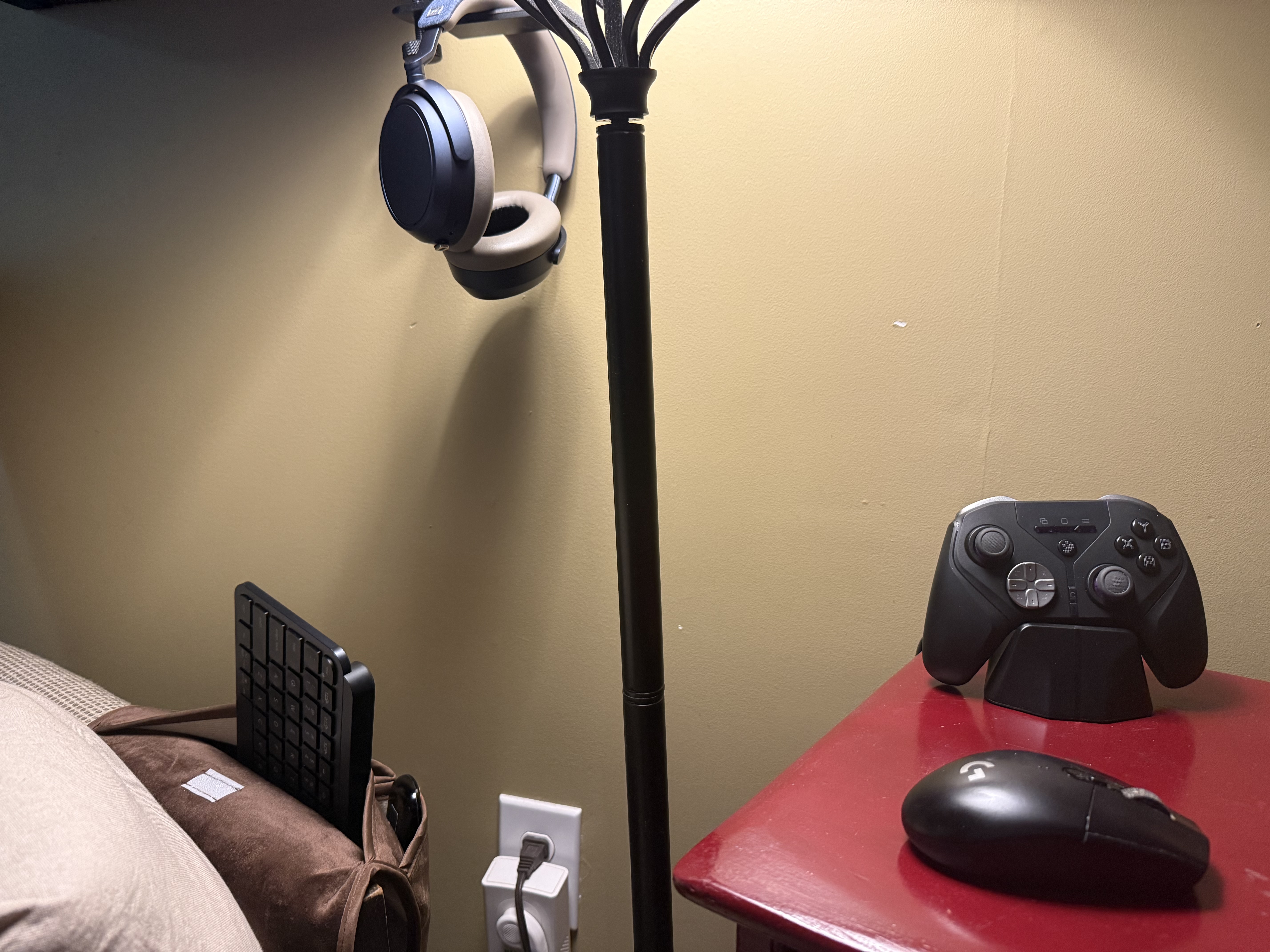
For my "under the TV" PC, I have a small MX keys keyboard stuck in a pocket on my chair and a mouse sitting on a side table. This is just in case I need them. For the most part, I can boot directly into Steam Big Picture mode (windows) and fire up a game directly with my controller. Steam makes PC very console like. Kind of the best of both worlds in my mind as I can have the simplicity of a console interface, but not prevented from going into the OS if need be which is not an option for consoles..
 
First, I have to deal with the Windows 11 desktop on a 55" OLED TV and having to keep a keyboard and mouse nearby.

Windows 11's HDR is a complete GARBAGE (configuration) to set up compared to a PlayStation 5.

My main gaming setup is a 1440p OLED monitor, but if I go to the living room, I play on a 4K OLED TV, which means I have to reconfigure ALL the graphics settings to optimize them for the new resolution.
9070xt attached to a LG C1 65" here.

Keyboard and mouse is used to just click on Steam Big picture. Then controller full time. Don't see the issue.

Windows 11 HDR isn't great but i'll take it over SDR. Also, there is an HDR app that you download and tune once then forget. 1 minute process.

You just prefer console on TV, and that is fine.
 
For my "under the TV" PC, I have a small MX keys keyboard stuck in a pocket on my chair and a mouse sitting on a side table. This is just in case I need them. For the most part, I can boot directly into Steam Big Picture mode (windows) and fire up a game directly with my controller. Steam makes PC very console like. Kind of the best of both worlds in my mind as I can have the simplicity of a console interface, but not prevented from going into the OS if need be which is not an option for consoles..

I basically needed the keyboard/mouse for driver updates but even then I probably neglected it for like over a year easily.

And back when I was doing this, there was big screen but nowhere near as good as steam big screen is now thanks to the arrival of Steam decks. But it worked still like a console.

There was a trick to boot Steam priority, I don't recall how it's been years, but I would not even see the desktop.

Also, honestly, if I was Buhaj Buhaj , nowadays if I put the SFF PC under a TV dedicated to it, I would probably just go with Steam OS and say bye bye to windows entirely.

SteamOS + Buy this dongle, which gives back the HDMI CEC capabilities from the PC's display port. That means that you can take a Steam controller, press the middle button, the PC wakes up, you're in steam OS and the TV boots up. Like a freaking console.
 
Last edited:
I built a PC for my living room just 2 weeks ago. I honestly love it. I used this case. It fits pretty well in my entertainment center. It hangs out about half an inch while still leaving room in the back for air flow. I could definitely live with that. It was kind of weird that it only came with a single case fan, so I had to buy a few more. Make sure you really think about how you're going to keep it cool in the space that you plan to put it in.
z0wc4YQ8ZAPZShdV.jpg

... Pardon my dust. I was due to dust everything today and probably should have done that before taking the picture...


The case was on sale for around $65 when I got it, but I see its up to $100 on Amazon right now. I didn't want to go crazy with it because of the cost of everything, so I went with a 5800XT paired with a RTX 5070 and 32 Gb of ram. It kind of hit the sweet spot I was hoping for with price vs performance. Everything runs great that I've thrown at it. If you're really serious about making one, definitely just watch prices. I ended up pulling the trigger on this build mostly because the processor and ram dropped enough. I felt like a fool spending $200 for 32 gigs of ram, but it could have been much worse if I went with a DDR5 system. 3 years ago, 32 gigs cost me $80. And thankfully I had a spare M.2 drive laying around...

Just make sure you think about inputs if you do go through with it. I would recommend looking for a SFF keyboard to go with it. It makes life so much easier. I bought this:
ZvQPNrSm8p5pRra5.jpg


It's not the best and it has some quirks, but it works for getting me in to Steam and GOG.

And set Steam to load in Big Picture Mode on startup. That helps a lot.

I love the PC, and honestly I wish I built one sooner.

That's a cool looking case

9070xt attached to a LG C1 65" here.

Keyboard and mouse is used to just click on Steam Big picture. Then controller full time. Don't see the issue.

Windows 11 HDR isn't great but i'll take it over SDR. Also, there is an HDR app that you download and tune once then forget. 1 minute process.

You just prefer console on TV, and that is fine.

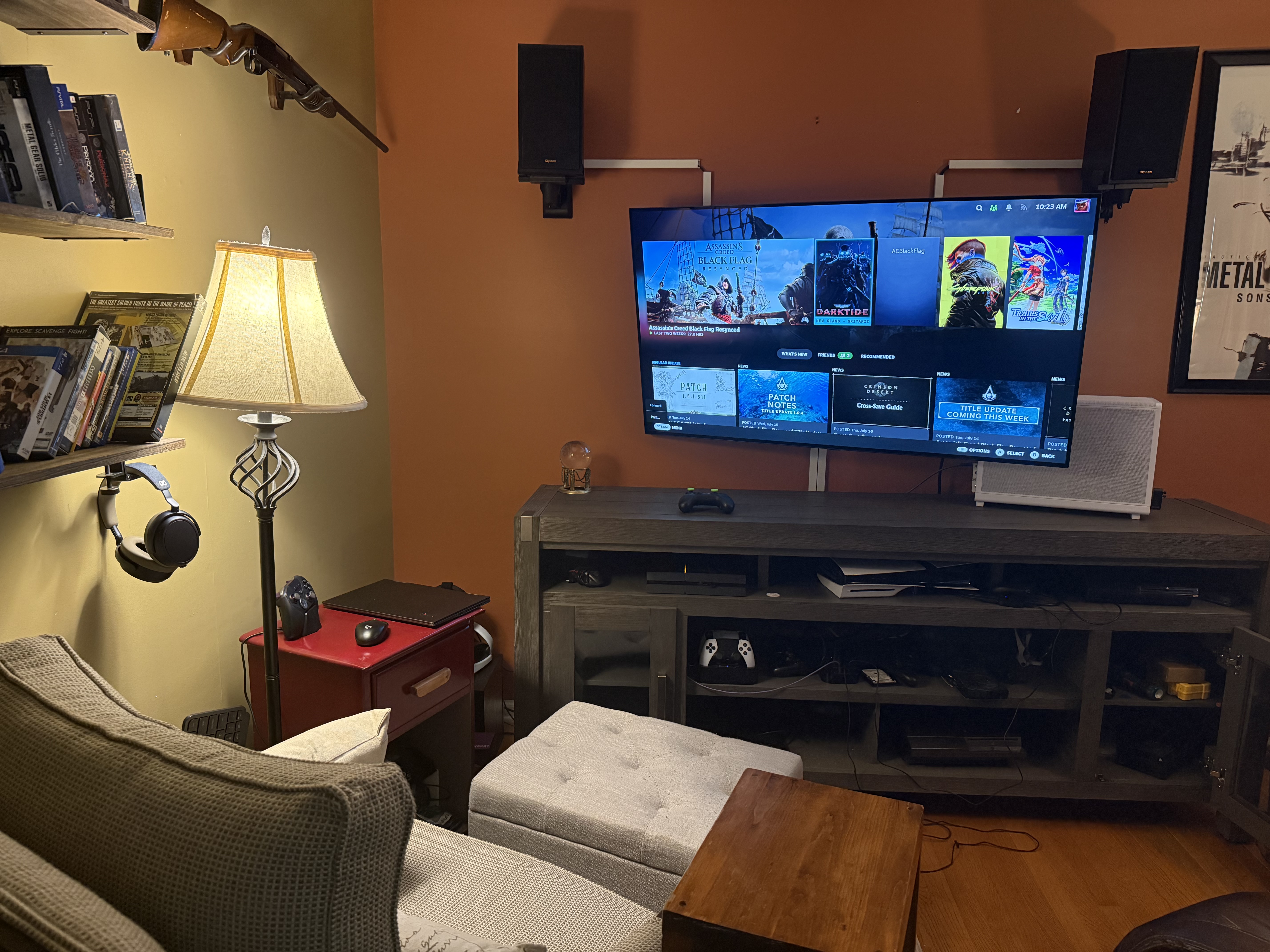
Pretty much my scenario. Got everything I need close by but I rarely need it

OC7MFT6umW8b0uwK.jpeg
 
Last edited:
First, I have to deal with the Windows 11 desktop on a 55" OLED TV and having to keep a keyboard and mouse nearby.
Logitech K400+ is good for living rooms. Has a trackpad instead of mouse. Not too big or too small. 2AA batteries last practically a whole year. Can use a USB extender if necessary but for most rooms the signal is great.
 
Last edited:
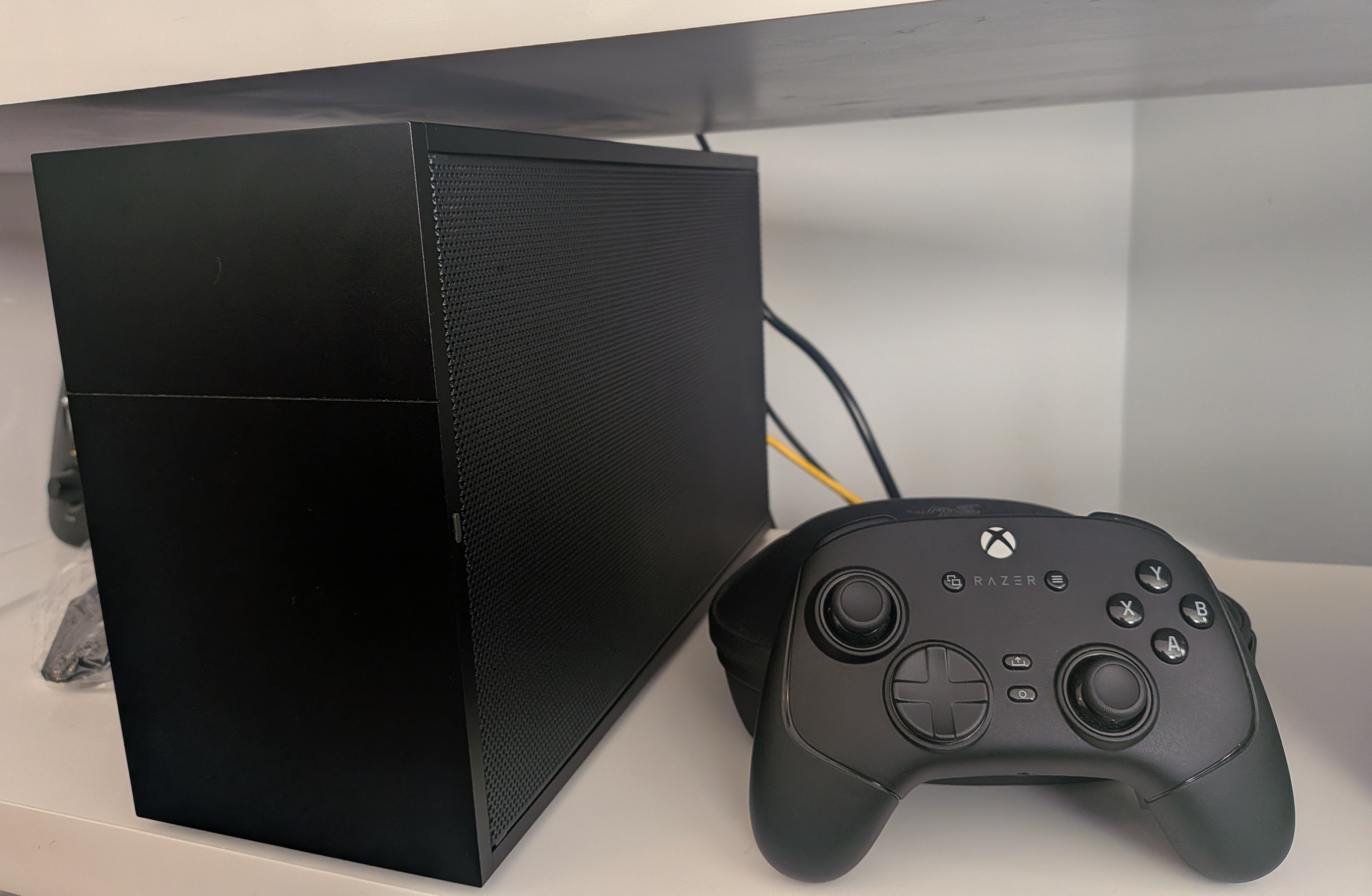
This is mine. The case is a Lian Li mini-ATX A3. Gives you an idea what the size would be for that type of case

B9P9rux2pYP9MMtJ.jpeg
 
Last edited:
Just make sure you think about inputs if you do go through with it. I would recommend looking for a SFF keyboard to go with it. It makes life so much easier. I bought this:
ZvQPNrSm8p5pRra5.jpg

The options are now much better than what I used to have 10 years ago. Your keyboard made me look into solutions and


The air mouse version is really interesting. Basically a wii remote. Good for quick setting menu toggles or the rare occasion you need use a mouse.

They also capture the IR signal of your TV remote. Could be a nice alternative in case HDMI CEC is a pain point.
 
This is mine. The case is a Lian Li mini-ATX A3. Gives you an idea what the size would be for that type of case

B9P9rux2pYP9MMtJ.jpeg
tcBCWeeRE47IXpOR.jpeg


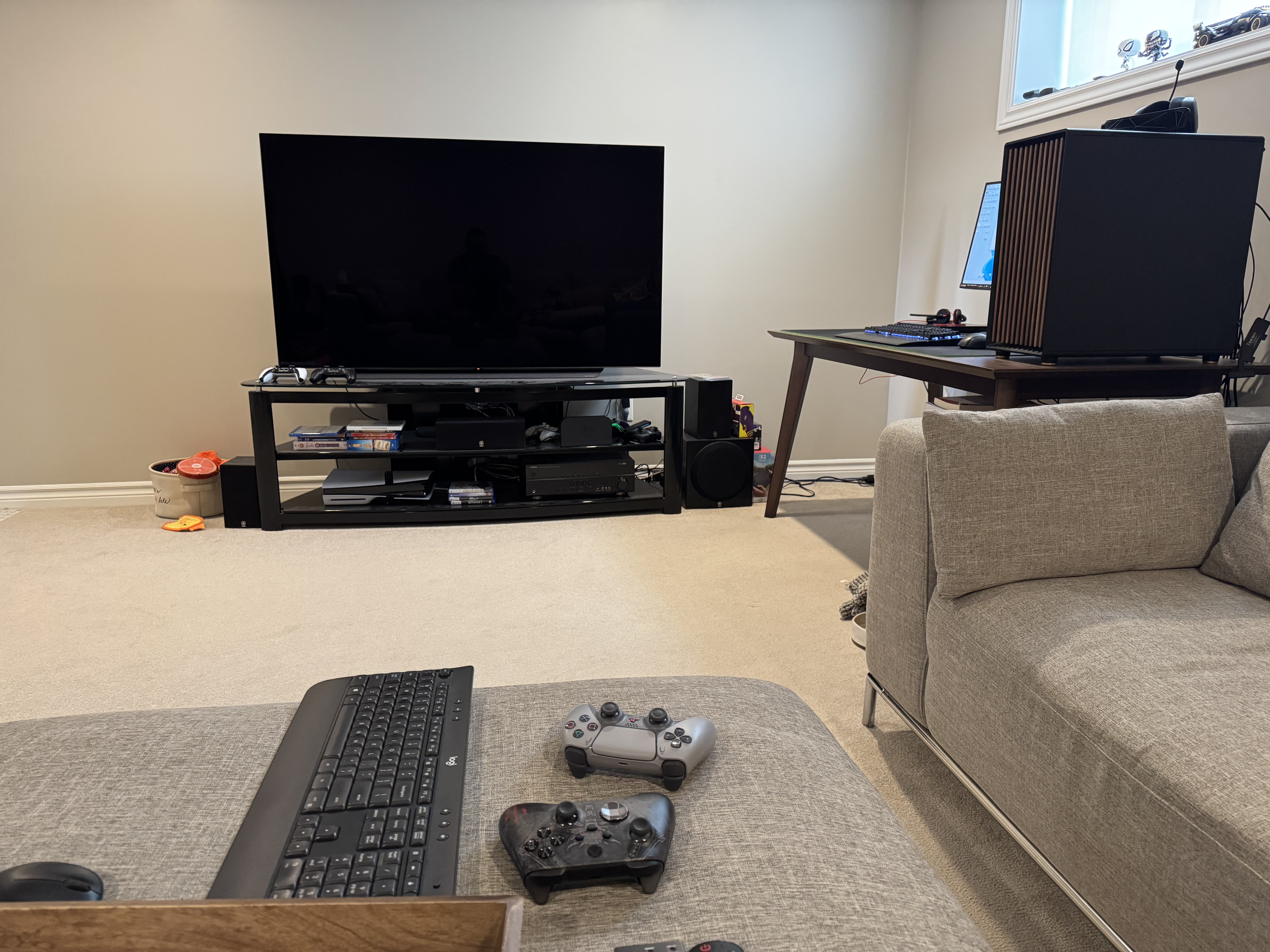
Mine right here. Long HDMI cable from PC to TV and got my PC chair (out of the pic) that I sit in regardless of TV or monitor gaming.

We bought a new house though so i'll have a dedicated gaming room/office that i'll be organizing better.
 
tcBCWeeRE47IXpOR.jpeg


Mine right here. Long HDMI cable from PC to TV and got my PC chair (out of the pic) that I sit in regardless of TV or monitor gaming.

We bought a new house though so i'll have a dedicated gaming room/office that i'll be organizing better.

Nice. Looking forward to seeing your gaming room pics
 
The options are now much better than what I used to have 10 years ago. Your keyboard made me look into solutions and


The air mouse version is really interesting. Basically a wii remote. Good for quick setting menu toggles or the rare occasion you need use a mouse.

They also capture the IR signal of your TV remote. Could be a nice alternative in case HDMI CEC is a pain point.

Air mouse would be nice, for sure. I didn't even think to look for something like that. I don't like track pads, especially small ones like the one on my mini keyboard. And my tiny wireless mouse that I use as a backup doesn't like the fabric on my couch.
 
Right now I don't have a TV PC set up due to the configuration of the appartment but I used to have one permanently in my house before and never needed a full keyboard.

Big picture + Android's Unified Remote (for both tablet and phone) would do whatever was needed to have a good experience. HDR is an issue and jumping from monitor to TV too if you have different resolutions but it's not that big of a deal. Playing with a big OLED TV + Home Theater + Best framerates easily compensate for that although I can see how some people might prefer a stream lined experience, my kids do so as well (but they can't tell the difference between 30 and 60 fps).
 
That is a great looking case.

As far as gaming on a PC. Its super simple to do with and without a K/M setup, even with Windows. Don't listen to people who say it is a terrible experience.
PC on tv is the best gaming experience when everything is working properly but you will definitly need a KB/M setup you are comfortable with to deal with the issues you will inevitably run into.

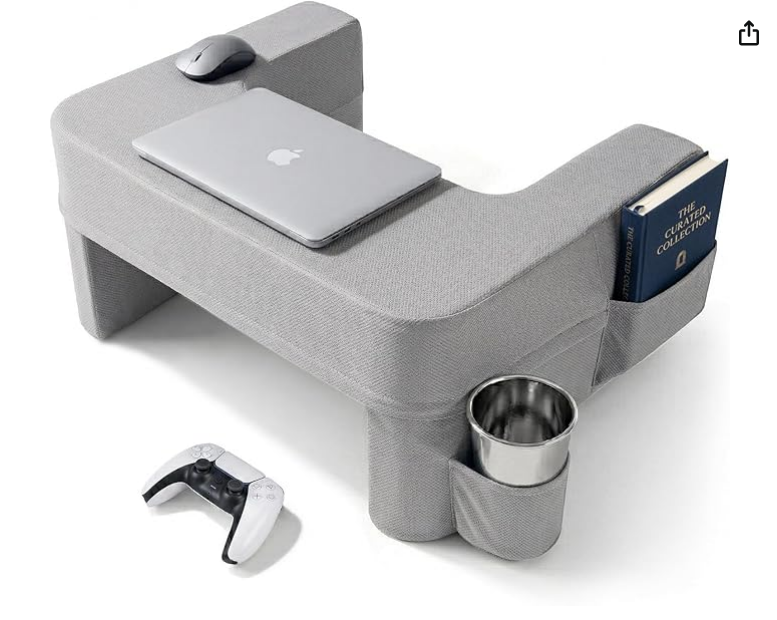
Personally I use one of these

FGlAFRcmTHGMwaDO.jpg


Not for gaming, I play on controllers only but still having a KB/M around is a must.
 
First, I have to deal with the Windows 11 desktop on a 55" OLED TV and having to keep a keyboard and mouse nearby.

Windows 11's HDR is a complete GARBAGE (configuration) to set up compared to a PlayStation 5.

My main gaming setup is a 1440p OLED monitor, but if I go to the living room, I play on a 4K OLED TV, which means I have to reconfigure ALL the graphics settings to optimize them for the new resolution.

Just keep your resolution at 1440p on the TV. Enjoy the higher framerates.

I guarantee you sit too far away to notice the difference.
 
I run a long HDMI cable from my 4070 to my AV receiver, which is connected to my LG TV, and, in parallel, a DisplayPort cable to my ultrawide monitor for desktop gaming.

Had no issues reconfiguring the resolution. Battlefield 6 recognizes the displays and switches automatically. 5.1 surround sound works too, barring a couple of clicks in windows settings with a logitech K400 from the couch. I probably need a Steam controller tho.
 
this kind of build would cost around 1700 Eurodollars, am I right ?
For this build, all the parts are used from the marketplace outside the SFF1000 Corsair PSU that i bought new last year for 215$ USD.

-9600x CPU = 140$
-Formd T1 case + 5070 fe + x870i +240 AIO cooler = 850 $ ( This was so good of a deal I actually had to travel for an hour and a half just to meet the guy in a different city because he lived 2 hours and a half away but I couldn't resist )
-32 GB 6000 MHz 30 CL RAM = bought them from a friend who is looking to upgrade. He sold them to me for 180$. But he gave me one stick for now, till he buys the ram.

So the total is about 1385$
 
Last edited:
That is a great looking case.

As far as gaming on a PC. Its super simple to do with and without a K/M setup, even with Windows. Don't listen to people who say it is a terrible experience.
It's definitely not as bad as people make it seem but it's definitely not the same as consoles.

A lot of it depends on the type of games you play I think. I don't run into a lot of keyboard prompts but I'm sure people do.

I would just recommend people pick up one of the little keyboards with trackpad
 
I have a Lian Li H20. You're going to want to undervolt your GPU. It's a tight fit, and it'll get hot and loud very quickly.
 
It's very simple to do. I used a long hdmi cable so I could put the tower near my chair and I could turn it on with out getting up.

I wish they had away to turn them on like consoles.
 
I recently got a PC, and as soon as I set it up, I decided to test it out in the living room to see what that "plug and play" feeling is like when you go from being comfortably at your desk and gaming chair with your monitor to an LG TV in the living room.

The experience couldn't have been more unpleasant (Windows 11). I'm sorry, but consoles still reign supreme in the living room when it comes to comfort.

Feels like the root of at least some of your problems has to do with you trying to move the PC between TV and monitor. To get a good TV experience you need to specifically setup your PC for that type of usage.

It's far from the "perfect" console experience but I don't think you should be giving advice if you didn't bother to optimize the experience for TV use.
 
I have a Lian Li H20. You're going to want to undervolt your GPU. It's a tight fit, and it'll get hot and loud very quickly.
and disable the CPU boost. your temps for the cpu wont reach 60 degrees which wont heat the case. when i play even with the FE my temps on the gpu dont reach 72 degrees and my case is about the same size as H20 if not smaller ( great case btw i love the H20 )
 
Last edited:
My SFF build under the TV that I just recently finished with X870i, 9600x, 5070 FE in the Formd T1 case. With a full boot up to windows full experience so I don't use the keyboard and mouse ( non plugged in it )

I play Forza H6, Tekken 8 online and some other games on it.
37gVrjqUMQjnAGxQ.jpg

I don't think I'll ever use the Xbox Fullscreen mode tbh.
I have my PC connected to my monitor and to my TV using a 7m HDMI cable so it's not practical to use.

instead I use a Dualsense in combination with DS4windows, where I set up a layout and macros that lets me control basically everything without needing a mouse or keyboard.
I have macros to swap screens (TV/Monitor), to open task manager, and ALT+F4 macro, and a macro to turn my touchpad mouse controls on and off.

I generally prefer having full desktop control over using a full screen mode, be it steam or Xbox. I kinda don't trust them to work properly 😅
 
Last edited:
I had a Fractal Ridge but could never get over how bad the CPU thermals were and how few coolers worked with the height restrictions. A few times I had the system shut itself off due to overheating, and that was after setting a lower thermal limit in BIOS. Played around with undervolts and PBO tuning, with some luck. I switched to an NCase M2 and was able to get a Peerless Assassin 120 Mini and it dropped 9800x3d temps by nearly 15C. RTX 5080 FE as GPU.
 
Last edited:
Top Bottom