• Hey Guest. Check out your NeoGAF Wrapped 2025 results here!

Controllers |OT| It's the Hall-Effect Life!

After trying out many different controllers I have finalised that the Xbox Series controller my favorite and will continue to buy it for my life. The only criticism I'll say is that it's still a bit small for my hands. It's often on sale so it's cheap, it doesn't have many features so it's simple and easy to fix and it just works, I mean it just works in any game you throw. The battery life is decent and the ergonomics is excellent, it feels great (well maybe apart from the LB/RB reach distance).

- Chinese alternatives are all small and not very ergonomic and have uneven quality control.
- Dualsense while good is not compatible in Windows and I prefer offset sticks.

I have also come to realise that swappable AA batteries is really good as I already have a couple already ready and charged so it's just an easy swap and keep playing.
 
Last edited:
Leadjoy Xeno Pro units are beginning to show up. No pricing yet, only notable changes to the Xeno Plus seem to be the tension rings (with JT19 sticks) and trigger rumble. A bit underwhelming.


It's JS19 actually, I think. JL - is reserved for Capacitive Sticks; JS - TMR Sticks in K-Silver naming scheme.

I still gotta watch the whole video but from what I could find, sensor is the same as JS13 - they are improving mechanical platform which in JS13 had an Alps footprint, I'm curious if this will affect linearity - let's hope not.

It appears to be the very first controller using these sticks btw.
 
Just purchased the Leadjoy Xeno plus the other day off amazon uk. £59. Was after a decent 2nd controller. Feels good. Just seen they've made the pro version which is a bit annoying! Impeccable timing eh. Looking at the new enhancements i dont feel like im missing out on much.
 
Sold my Steam controller. The problem I had was, for my hands, there is too much distance to be covered over the track pads. I like my thumbs squarely on top of the thumb sticks and found it annoying that I couldn't quite reach that. So that's very much a issue with my hands rather than a reflection of the controller.

Ordered the Leadjoy Xeno Plus that BeardSpike BeardSpike mentioned. Youtube reviews look really good. $60 is a good price.
 
Leadjoy Xeno Pro units are beginning to show up. No pricing yet, only notable changes to the Xeno Plus seem to be the tension rings (with JT19 sticks) and trigger rumble. A bit underwhelming.


Watching the video now, it seems like they're going the Kickstarter route with this?

Gonna be some time until we get actual units in the wild then.
 
Just purchased the Leadjoy Xeno plus the other day off amazon uk. £59. Was after a decent 2nd controller. Feels good. Just seen they've made the pro version which is a bit annoying! Impeccable timing eh. Looking at the new enhancements i dont feel like im missing out on much.
Yeah unless you care about stick tension settings and some extra vibrations there's nothing much you will miss.

You made a good call don't worry.
 
Alright, so I messed around more with the Steam Controller, and got it to when I lift both my hands off the controller to set it down it will auto-pause the game.

Basically what worked for me was in any game just go to controller settings:
  1. Click Edit Layout, and then click Action Sets
  2. Create an action set called "Left Grip Pause", and another action set called "Right Grip Pause".
  3. Go to "Left Grip Pause" action set, and edit the right grip button:
  4. Set the right grip to either the gamepad Start button, or keyboard ESC button depending on if the game has native gamepad support.
  5. Then click the settings/gear icon next to right grip, and set it to release press, as that will have it activate the button when you release the grip.
  6. Click the settings/gear icon AGAIN, to add a sub-command, and set that sub-command to Change Action Set.
  7. Set the Change Action Set to Default, so after the start/esc key command fires it goes back to the default controls.
  8. Do the same thing for the "Right Grip Pause" action set, but you'll be setting the left grip button to Start/Esc, and add a sub-command to Change Action Set to Default.
  1. In the layout we just made, simply click the settings/gears icon next to Edit Layout,
  2. Then click Export Layout to export this as our template
  3. Put a title and description of what it does in the fields
  4. Finally set Export Type to New Template ("new personal save" only saves this as a layout for the game you did this in)
  5. Now in every new game, simply click the layout dropdown, go to template, scroll down to the bottom, and you'll see it under a new User Created Templates section.
  6. Then you can simply add any other custom controls on top of this.

The reason I did it this way, was because there is no "release both grips at once" to perform just 1 action function...which Valve should add, or even just automate this all with a toggle.

What this does do, is whichever grip sensor you happen to release your hand first, will force it to switch to an action set. This action set, will then make the other button on release actually pause, and then after the pause run the sub-command to switch back to default controls again. (If I made this confusing, feel free to ask for clarification.)
 
After trying out many different controllers I have finalised that the Xbox Series controller my favorite and will continue to buy it for my life. The only criticism I'll say is that it's still a bit small for my hands. It's often on sale so it's cheap, it doesn't have many features so it's simple and easy to fix and it just works, I mean it just works in any game you throw. The battery life is decent and the ergonomics is excellent, it feels great (well maybe apart from the LB/RB reach distance).

- Chinese alternatives are all small and not very ergonomic and have uneven quality control.
- Dualsense while good is not compatible in Windows and I prefer offset sticks.

I have also come to realise that swappable AA batteries is really good as I already have a couple already ready and charged so it's just an easy swap and keep playing.

I've reached the same conclusion. I tried a few other controllers since my old Xbox wireless controller finally started drifting. I missed the ergonomics and the ability to hot swap rechargeable batteries on the fly. Internal batteries made sense when rechargable AA were rarer. They suck now. Especially in controllers like 8bitdo which solder the battery pouch to the board. Replacing the failing analog stick in my Xbox controller was slightly cheaper than replacing the battery in my 8bitdo and about the same effort.
 
After trying out many different controllers I have finalised that the Xbox Series controller my favorite and will continue to buy it for my life. The only criticism I'll say is that it's still a bit small for my hands. It's often on sale so it's cheap, it doesn't have many features so it's simple and easy to fix and it just works, I mean it just works in any game you throw. The battery life is decent and the ergonomics is excellent, it feels great (well maybe apart from the LB/RB reach distance).

- Chinese alternatives are all small and not very ergonomic and have uneven quality control.
- Dualsense while good is not compatible in Windows and I prefer offset sticks.

I have also come to realise that swappable AA batteries is really good as I already have a couple already ready and charged so it's just an easy swap and keep playing.
Doesn't have hall effect stocks and they can't be used because of the magnets in the triggers. Mine crapped out after a little over a year.
 
Doesn't have hall effect stocks and they can't be used because of the magnets in the triggers. Mine crapped out after a little over a year.
I agree the quality control of Xbox controllers is a gamble, sometimes they work for years but also break within a few months but it not that expensive to replace especially if you pick a couple during major sale/festive seasons. It's a controller that passes many of my requirements so I can overlook this.

I also think the "hall effect" tech and other stuff shouldn't be a strict requirement, I mean it's nice to have those but I would rather prefer something which is comfortable, has swappable batteries and functional and mostly affordable.
 
Suddenly got notification from Valve about finalizing my Steam Controller purchase, which was estimated for September drop.

I'm curious about ergonomics, since I have smaller hands. Will report back in a few days.
 
Last edited:
My next controller
3OSA0yg4RGUaz6i6.png
 
Sold my Steam controller. The problem I had was, for my hands, there is too much distance to be covered over the track pads. I like my thumbs squarely on top of the thumb sticks and found it annoying that I couldn't quite reach that. So that's very much a issue with my hands rather than a reflection of the controller.

Ordered the Leadjoy Xeno Plus that BeardSpike BeardSpike mentioned. Youtube reviews look really good. $60 is a good price.
I am keeping mine just because it plays so well with the handheld in docked mode but for whatever reason I get a bit of input delay with it. Even when using the receiver. As for overall controllers, I still find the dual sense works best of me. Mostly because of the multi-device use. I just with the batteries were a bit stronger.
 
I am keeping mine just because it plays so well with the handheld in docked mode but for whatever reason I get a bit of input delay with it. Even when using the receiver. As for overall controllers, I still find the dual sense works best of me. Mostly because of the multi-device use. I just with the batteries were a bit stronger.
For what it's worth, I swapped the battery in my DS4 for a double capacity one and it served me well for many years.

If I went back to DS4/5 I would have to swap the battery and replace the sticks (despite not having done that before) because the standards have been raised by this healthy 3rd party market.

For all their faults, Xbox encourage 3rd party licensed controllers and customers are better off for it. It's a shame Sony couldn't care less.
 
Got me Leadjoy. Initial thought is I can't believe this is only $60. I'm going to play some Black Flag tonight but this thing feels really well built.
 
Got me Leadjoy. Initial thought is I can't believe this is only $60. I'm going to play some Black Flag tonight but this thing feels really well built.
Be sure to crank up vibrations in the Leadjoy app to the max. You have to edit a profile to do this, it will surprise you then with how strong the rumble motors are with how light this thing is.
 
Last edited:
Since I've had it, my Steam Controller has been my daily driver (99% of it in Linux), and I have to say it's really amazing. Fits my hands perfectly. I honestly haven't messed with customizing buttons much, but I think I'm going to with AC:Black Flag Resynched, whenever I decide on what exactly I want to map the back buttons to.
 
Yeah, Steam Controller is probably my favorite controller of all time at the moment, now I've had a couple of months with it.

The amount of FPS games I've went back to now and breezed through sitting on the sofa with the trackpads and gyro is insane.
Just magnificent stuff. I wasn't sure If I'd like it in the long run, like others I had a wee bit of a tough time adjusting to the placements of the trackpads and sticks, but I'm 100% used to it now.

It's ruined all other controllers for me. I find myself naturally going for a non existent trackpad for quick mouse style movement, gyro for precision movement and then non existent back buttons when using other controllers now and it's extremely jarring to not have them available.

So yeah, extremely happy with it as a PC controller / m&k substitute for gaming.

However, for desktop usage there is still a few things to bear in mind, the obvious one is that it doesn't work as a gamepad controller without steam input, which honestly is fine and was expected - however what's really frustrating is apps like RTTS and windows 11 UAC prompts not working with it regardless, so it doesn't fully eliminate the need for a keyboard and mouse altogether. I suspect those using Linux will be having a better time in this regard though.
 
Last edited:
The amount of FPS games I've went back to now and breezed through sitting on the sofa with the trackpads and gyro is insane.
Just magnificent stuff. I wasn't sure If I'd like it in the long run, like others I had a wee bit of a tough time adjusting to the placements of the trackpads and sticks, but I'm 100% used to it now.

It's ruined all other controllers for me. I find myself naturally going for a non existent trackpad for quick mouse style movement, gyro for precision movement and then non existent back buttons when using other controllers now and it's extremely jarring to not have them available.
I've found the same now for me, even picking it over my Gamesir G7 Pro in most games. I can feel a bit less responsiveness in the polling rate, and I wish it had trigger lock-outs, but I still end up defaulting to it now.

Mainly because the trackpads are such a nice improvement over the first Steam controller, and still an upgrade over the Steam Deck in feel + precision. Gyro is just much easier to use with either the capacitive sticks or grip sensors. Only controller with 4 back buttons where they're all shaped, placed well enough, and have the right amount of resistance to hit them all instead of worrying about accidental hits.

Also like the shape of the bumpers and triggers, feels like an improvement on the dualsense. I like that the triggers have that vibration feedback when you set them to soft pull so they activate without going all the way down.

However, for desktop usage there is still a few things to bear in mind, the obvious one is that it doesn't work as a gamepad controller without steam input, which honestly is fine and was expected - however what's really frustrating is apps like RTTS and windows 11 UAC prompts not working with it regardless, so it doesn't fully eliminate the need for a keyboard and mouse altogether. I suspect those using Linux will be having a better time in this regard though.
Huh, weird I didn't really have issues with UAC prompts at all in win11, just a delay before the input would pick up again while the prompt loaded. Similar to how when I load into Desktop Mode on my steam deck it takes a few seconds before the trackpads register again.

Only issue is some programs like Heroic Games Launcher and Playnite, the trackpads won't work while they're in focus.
 
Just found out about this project, and it's kinda neat!


Uses an $8 NRF52840 Pro Micro board to emulate the "puck" in a Steam Controller so it can be used in non-Steam games. Also works with native hardware on the Switch and PS3 so that the Steam Controller presents as a native (wired) controller.
 
Just found out about this project, and it's kinda neat!


Uses an $8 NRF52840 Pro Micro board to emulate the "puck" in a Steam Controller so it can be used in non-Steam games. Also works with native hardware on the Switch and PS3 so that the Steam Controller presents as a native (wired) controller.
That's pretty sick. Though it makes me think it shouldn't be hard for Valve down the line to just have a xinput mode for the controller under a key command, and have a pop-up to show the changed mode like switching action sets.

This is also just nice since Valve doesn't sell any pucks separately yet, and $8 isn't bad.
 
Be sure to crank up vibrations in the Leadjoy app to the max. You have to edit a profile to do this, it will surprise you then with how strong the rumble motors are with how light this thing is.

Did that. Firmware update functionality doesn't seem to work, unfortunately, but the software itself works alright. Mapped the back buttons. Going to check the LCD functions tomorrow.

So far....yeah, this thing is going to be a great, cheap replacement to my Razer. Only thing I'll have to get used to is back button placement, but that'll work itself out.
 
Since I've had it, my Steam Controller has been my daily driver (99% of it in Linux), and I have to say it's really amazing. Fits my hands perfectly. I honestly haven't messed with customizing buttons much, but I think I'm going to with AC:Black Flag Resynched, whenever I decide on what exactly I want to map the back buttons to.
I suspect those using Linux will be having a better time in this regard though.
That's what I'm hoping for, since I'm 99% on CachyOS all the time.
Did that. Firmware update functionality doesn't seem to work, unfortunately, but the software itself works alright. Mapped the back buttons. Going to check the LCD functions tomorrow.

So far....yeah, this thing is going to be a great, cheap replacement to my Razer. Only thing I'll have to get used to is back button placement, but that'll work itself out.
You have to plug controller in with USB cable to update firmware.
 
Last edited:
Topher Topher

To use Xeno Plus on Linux you have to register it with Xpad driver.

Open terminal:

Code:
sudo modprobe xpad

echo "4131 3519" | sudo tee /sys/bus/usb/drivers/xpad/new_id

Then

Code:
kwrite /etc/udev/rules.d/99-xeno-plus.rules

and paste
Code:
# LeadJoy Xeno Plus — auto-bind Xpad and restore calibration on connect

ACTION=="add", SUBSYSTEM=="usb", ATTR{idVendor}=="4131", ATTR{idProduct}=="3519", \
RUN+="/bin/sh -c 'echo 4131 3519 > /sys/bus/usb/drivers/xpad/new_id'"

ACTION=="add", SUBSYSTEM=="input", KERNEL=="js*", ATTRS{idVendor}=="4131", ATTRS{idProduct}=="3519", \
RUN+="/usr/bin/jscal-restore %E{DEVNAME}"

Hit save and enter sudo password and quit from kwrite.

Then:

Code:
kwrite /etc/udev/rules.d/99-xeno-plus-ignore-kbd.rules

paste

Code:

Code:
# LeadJoy Xeno Plus — ignore keyboard and mouse inputs, leave only Xinput inputs

SUBSYSTEM=="input", ATTRS{idVendor}=="4131", ATTRS{idProduct}=="3519", ENV{ID_INPUT_KEYBOARD}=="1", ENV{ID_INPUT_IGNORE}="1"
SUBSYSTEM=="input", ATTRS{idVendor}=="4131", ATTRS{idProduct}=="3519", ENV{ID_INPUT_MOUSE}=="1", ENV{ID_INPUT_IGNORE}="1"

Hit save and enter sudo password and quit from kwrite.

And then

Code:
sudo udevadm control --reload-rules
sudo udevadm trigger
Reference: https://www.reddit.com/r/linux_gaming/s/Ntp7dm3DEt
 
Last edited:
Huh, weird I didn't really have issues with UAC prompts at all in win11, just a delay before the input would pick up again while the prompt loaded. Similar to how when I load into Desktop Mode on my steam deck it takes a few seconds before the trackpads register again.

Only issue is some programs like Heroic Games Launcher and Playnite, the trackpads won't work while they're in focus.
So it sometimes works, most of the time it doesn't. I'm wondering if its because I'm using windows LTSC? It's a minor thing tbh, I'm just biding my time until they figure out the Nvidia stuff with Linux and I'll be jumping ship anyway.
 
So it sometimes works, most of the time it doesn't. I'm wondering if its because I'm using windows LTSC? It's a minor thing tbh, I'm just biding my time until they figure out the Nvidia stuff with Linux and I'll be jumping ship anyway.
Could be, or just some bug with Steam Input, or a quirk on Windows Valve has to figure out.

The descriptor heap stuff on the Linux nvidia drivers are starting to close the performance gap, but not quite there. Progress is happening though.
 
Doesn't have hall effect stocks and they can't be used because of the magnets in the triggers. Mine crapped out after a little over a year.

The latest Gulikit TMR modules are designed to deal with the interference out of the box. Older modules could be shielded using the usual methods. I've never bothered for my own controllers since I have so many regular analog sticks sitting around.
 
Just found out about this project, and it's kinda neat!


Uses an $8 NRF52840 Pro Micro board to emulate the "puck" in a Steam Controller so it can be used in non-Steam games. Also works with native hardware on the Switch and PS3 so that the Steam Controller presents as a native (wired) controller.

Just was reading about that yesterday in r/steamcontroller, it seems pretty awesome, I will have to do it at some point.
 
Just was reading about that yesterday in r/steamcontroller, it seems pretty awesome, I will have to do it at some point.
Valve has started to prepare my package. Tracking information is assigned.

It seems like it's shipping from Valve's warehouse in Utrecht, Holland to Central Europe. So 2 to 3 days may be accurate. I may already have it over the weekend, kinda sick not gonna lie.
 
Last edited:
Xeno Pro Kickstarter is live.


With a shipping date in August I dont really get why they are going this route instead of normal pre orders, maybe just marketing.
 
Xeno Pro Kickstarter is live.


With a shipping date in August I dont really get why they are going this route instead of normal pre orders, maybe just marketing.


Neat, and yeah probably just marketing, no real reason otherwise. I'm in for the Early Bird.
 
8BitDo having a 13th anniversary sale, selected models 30% and 20% off.
 
Since I've been messing around more with the Steam Controller, I wondered about using the gyro on WiiU and Switch emulators.

Emudeck has the GyroDSU plugin that enables gyro to work in WiiU/Switch emulators, but alas for now only works for the Steam Deck...but the dev seems to indicate wanting to build support for other controllers with Steam Controller as the likely easiest to implement.

However, came across this reddit post with someone who built their own tool today:


Looks compatible with Cemu, Citron, Ryujinx/Ryubing, Eden, etc.
 

I decided to make a thread about feature feedback on Steam Beta community channel, since Valve should be reading this.

About at least adding 500 or 1000Hz polling rate option even if only through wired connection. If any Steam Controller users here would care to bump that thread for better exposure - it would be great. Thanks my dudes.

So far I really really like the controller, I'm probably post my thoughts over the weekend here.
 
Just found out about this project, and it's kinda neat!


Uses an $8 NRF52840 Pro Micro board to emulate the "puck" in a Steam Controller so it can be used in non-Steam games. Also works with native hardware on the Switch and PS3 so that the Steam Controller presents as a native (wired) controller.

Just set this up with my SC and it actually fugging works lol. It's also giving me a significantly stronger signal.
 
Last edited:
Sent the Leadjoy back. Update bricked it, unfortunately. I updated it from my Windows PC with the software they had in the MS store. It errored out during the update process and I never got it working again.

Sucks because that controller was awesome, but their software is buggy as hell.

Looking for something else now.
 
Took me long enough and jumping back and forth between all of my controllers.

gVeuOJXnRGfhDQo9.jpg


Packaging is nice but we all known it. It seems like they packaged it in the external box which is nice - was worried it would get stolen, lmao. All orders seem to originate from Utrecht, Holland in UE and they ship via GLS.

MvHddiQLv5cxmVNY.jpg


Anyways now on to the Steam Controller itself:

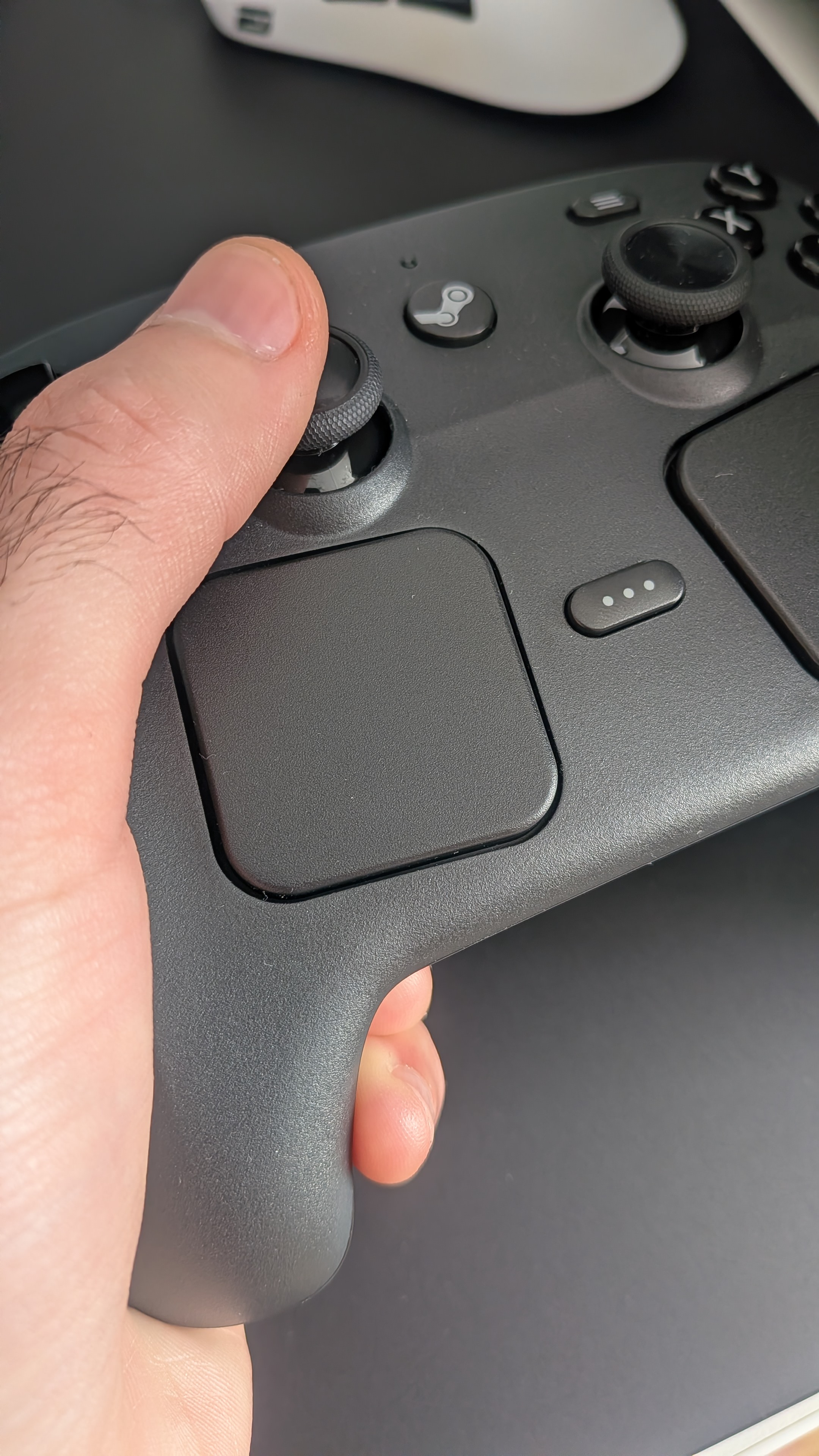
*Really comfy stuff, I was scared since I have 15-16cm hands but I can reach anywhere no problem. And ergonomics are top notch.

*Sticks are fine, those are the same sticks my Leadjoy controllers use and G7 Pro 8K. Linearity is top notch! The only difference is tension, Steam Controller has the highest tension settings out of all controllers I have. I could probably replicate the tension only on GuliKit TT Max, since it has adjustable tension.

*I booted Linux out of habit and it did update puck and controller via Steam natively. It does seem to wake up PC on Linux from sleep if you press Steam/Home button button.

*Did poke around a bit in Steam Input and options are basically endless. It has really good membranes dpad reminds me of GameSir Super Nova!

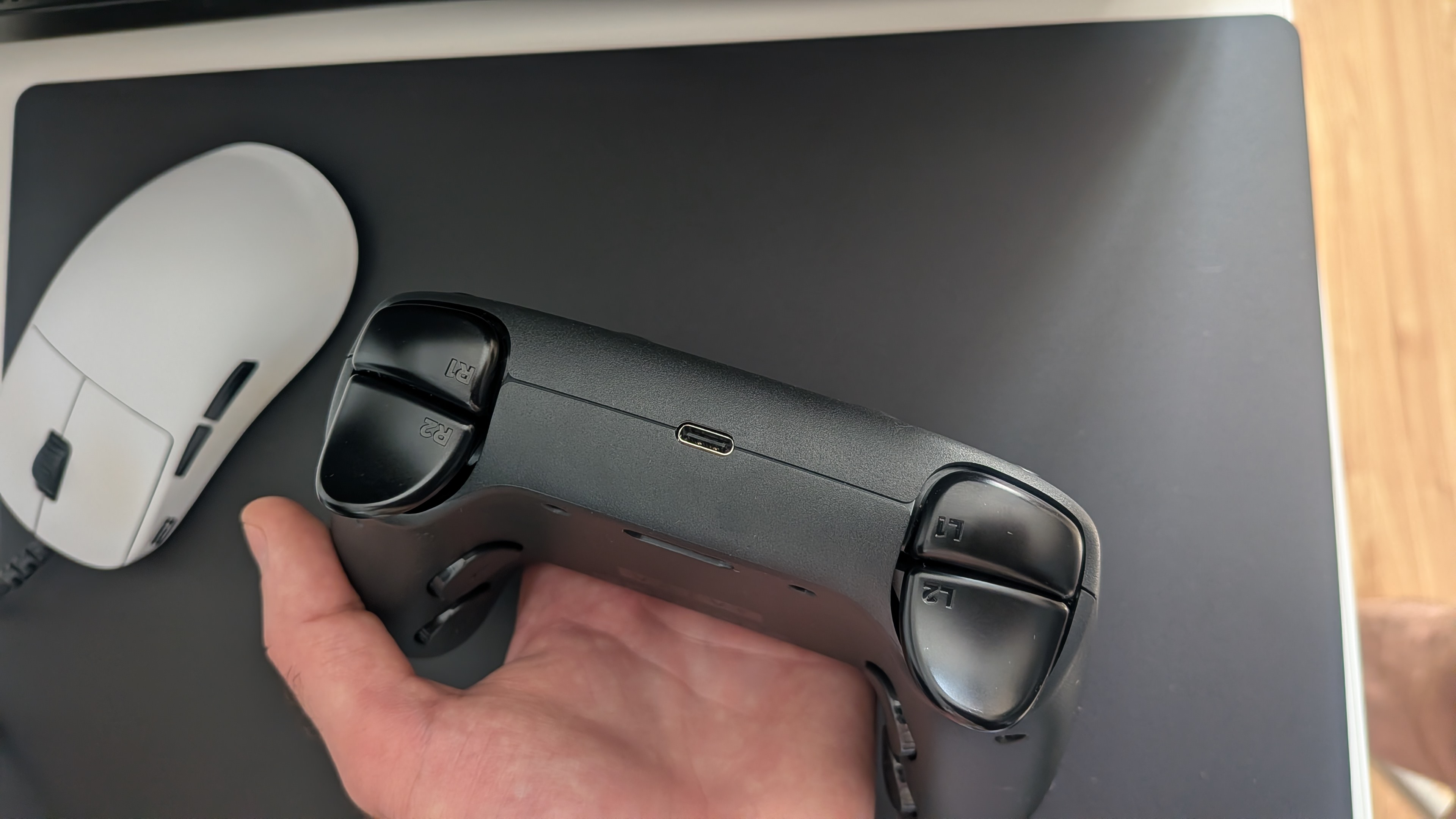
*Shape of triggers is nice, it has that PS style of triggers and bumpers, they are just like wider so it's easier to reach. Back buttons imho have the best position of any controller I used and it has four of them. Valve has done their research. I only have a slight "beef" with the bottom tip of triggers but I will touch more on that subject later.

*Did try trackpads in Crimson Desert, just had to up sensitivity a bit, it basically behaves like a mouse. Haptics are amazing so far.

*250Hz polling rate is a bit of a let down but so far it has amazed me with everything else. I do like how triggers and bumpers are essentially the same material as Dpad and ABXY buttons, I also think they use the same plastic on thumb caps which should be more durable than rubber in the long run.

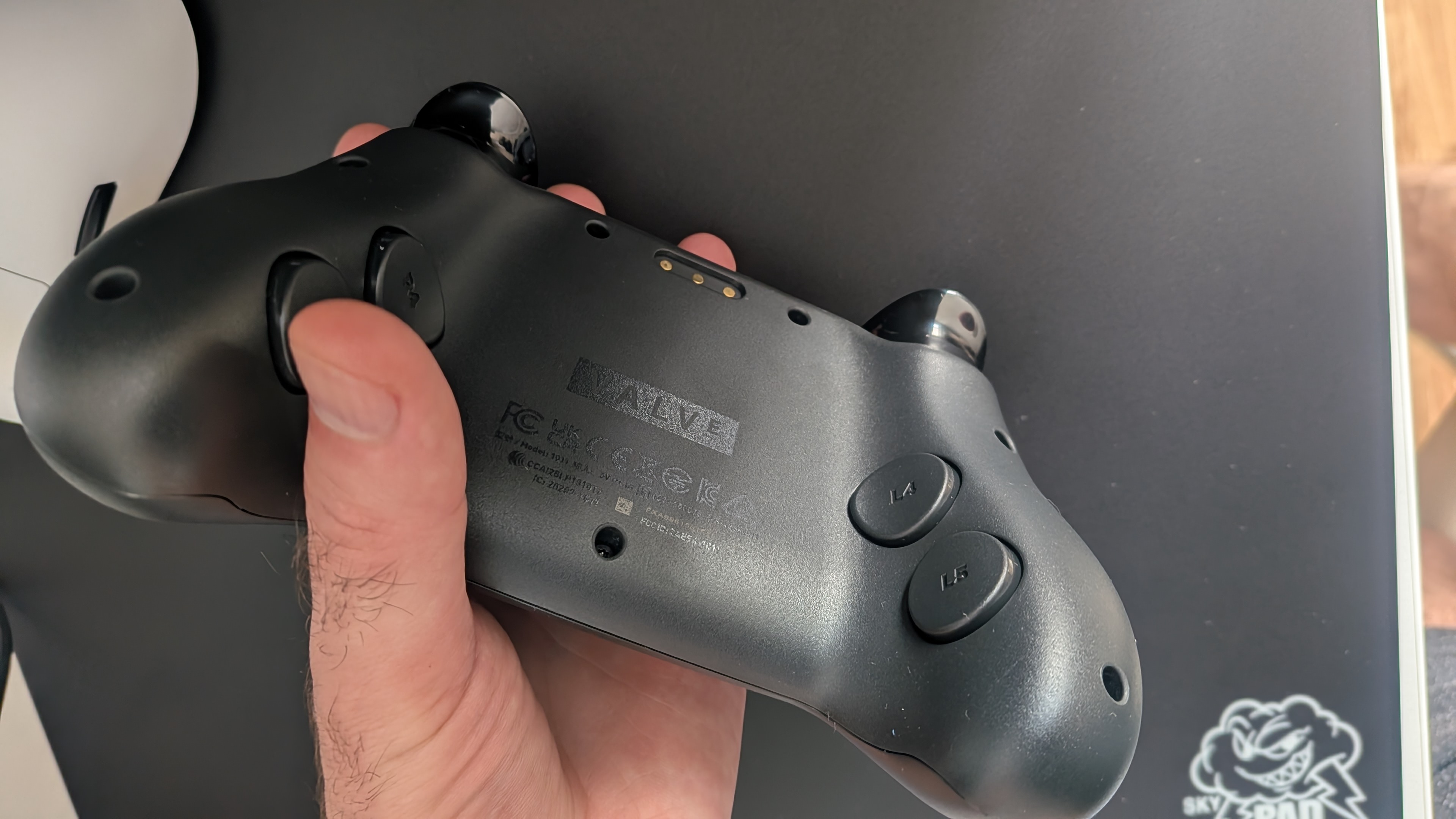
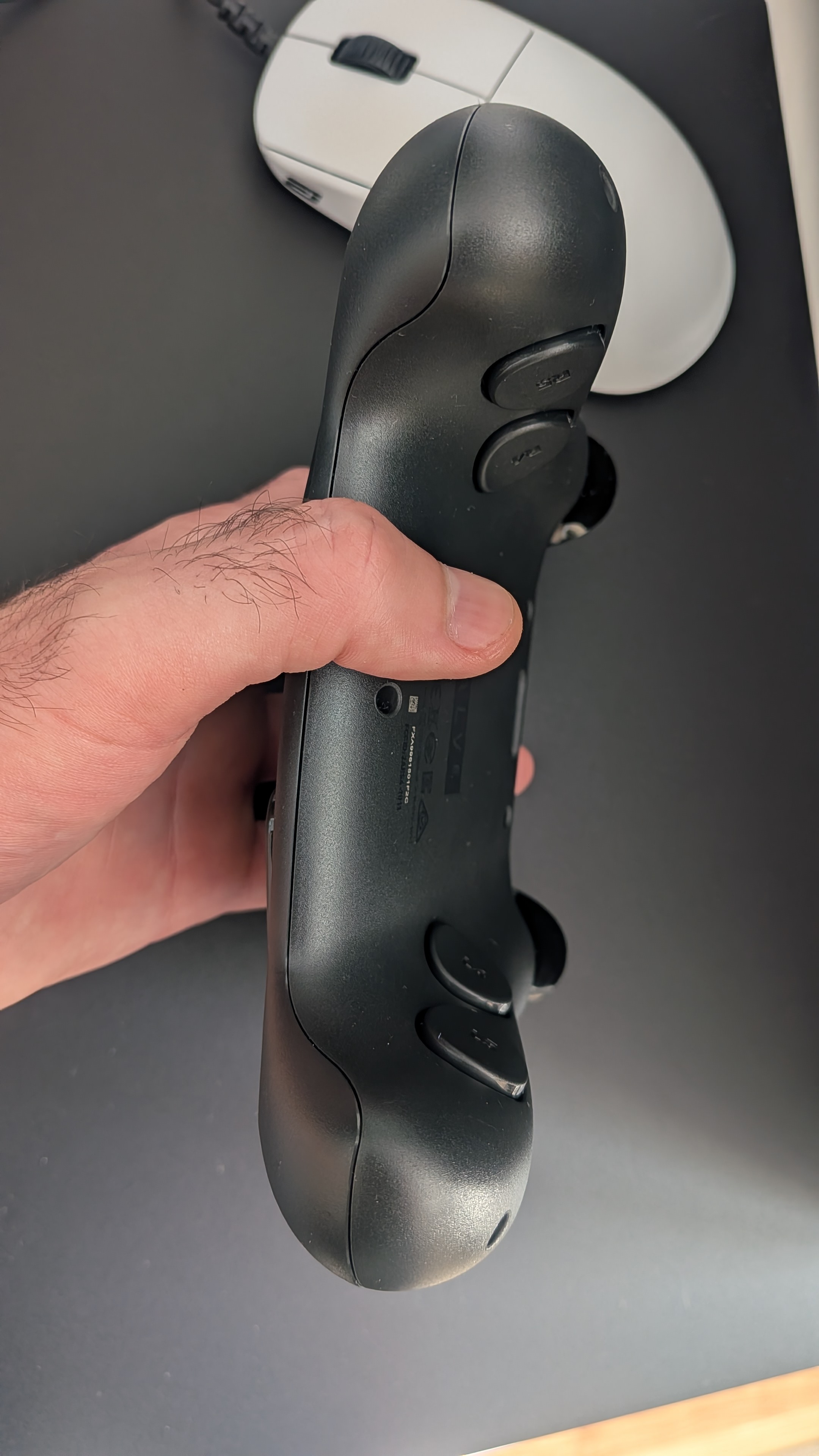
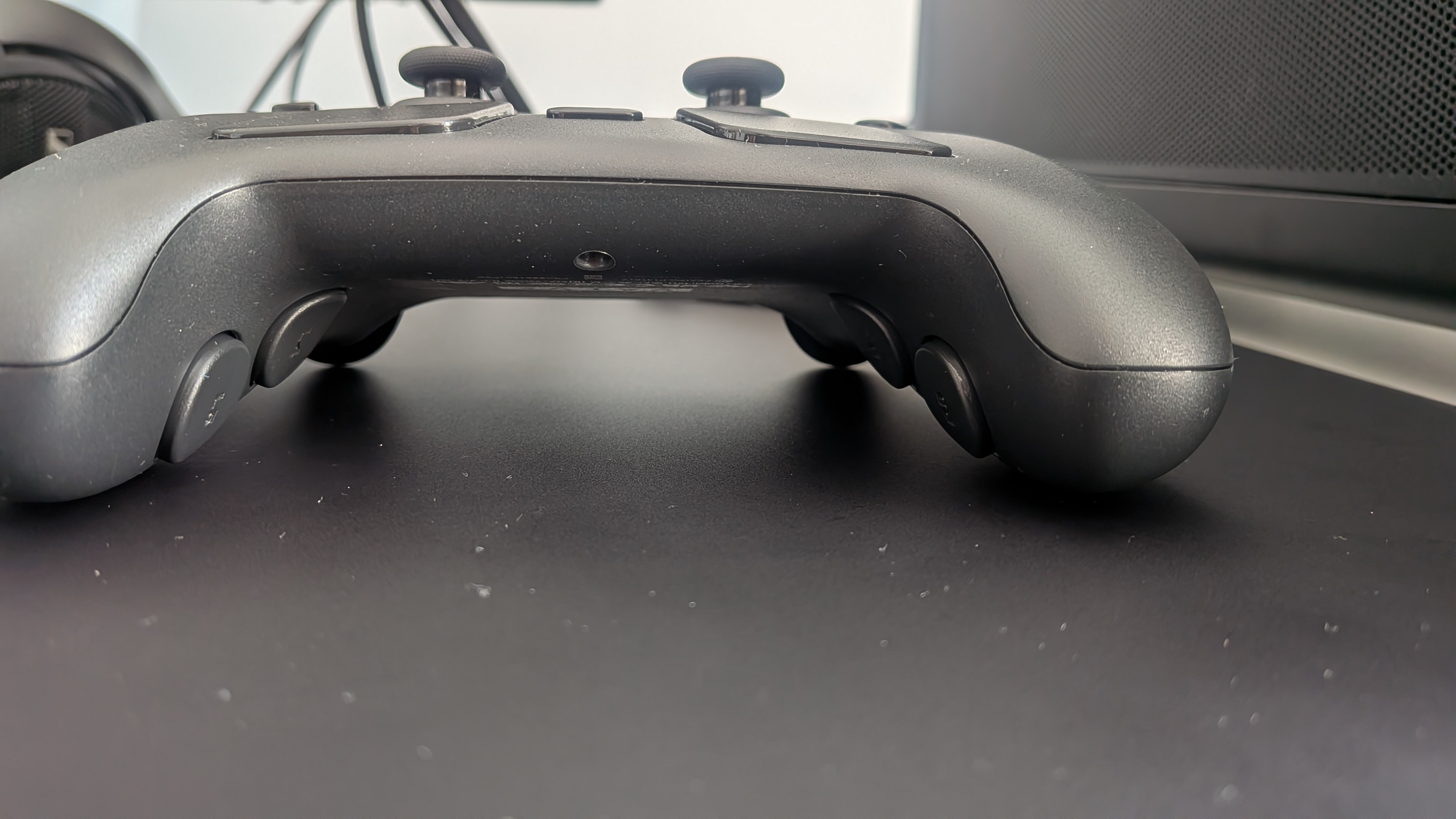
More pics and impressions about shape:
ifCtrApkwMulAEp2.jpg
3cqn1xGYA0HYKIeY.jpg
2sc5DVX7GjicAnP6.jpg
uKIeF31QAMmpriFx.jpg
aZ2Q95Nct8B6zOj2.jpg


I like how thin it is at the bottom and the placement of back buttons.

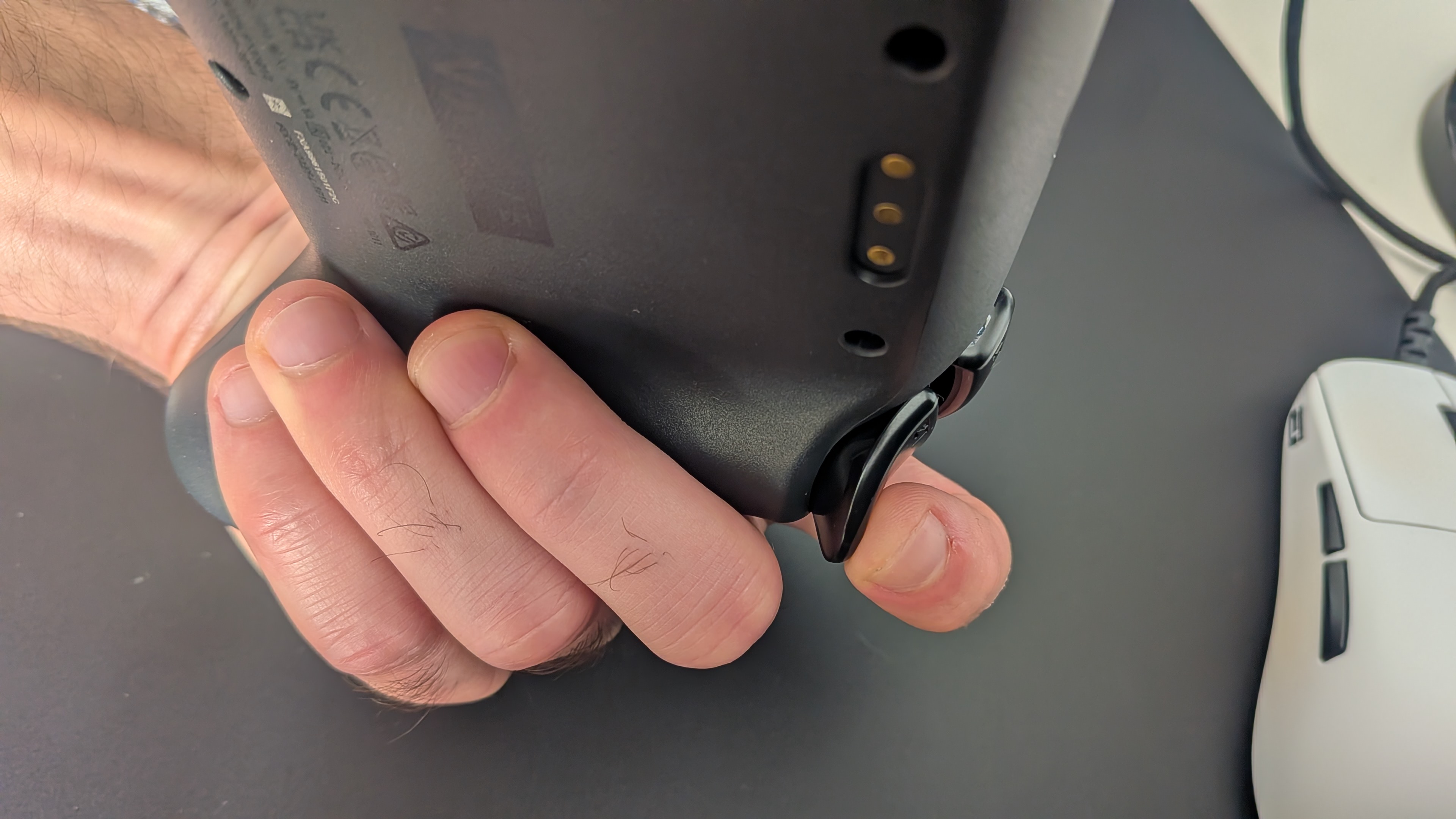
What I meant with slight "beef"?
pTjxnAVPc4xSUSZz.jpg


I'm sometimes finding myself while reaching for sticks with more relaxed grip that it touches my finger and have to be mindful of positions of my finger - it has to wander more towards the back buttons, then it's fine.

Couple things I noticed with my girlish hands:
Liw35EgWhFJIP704.jpg


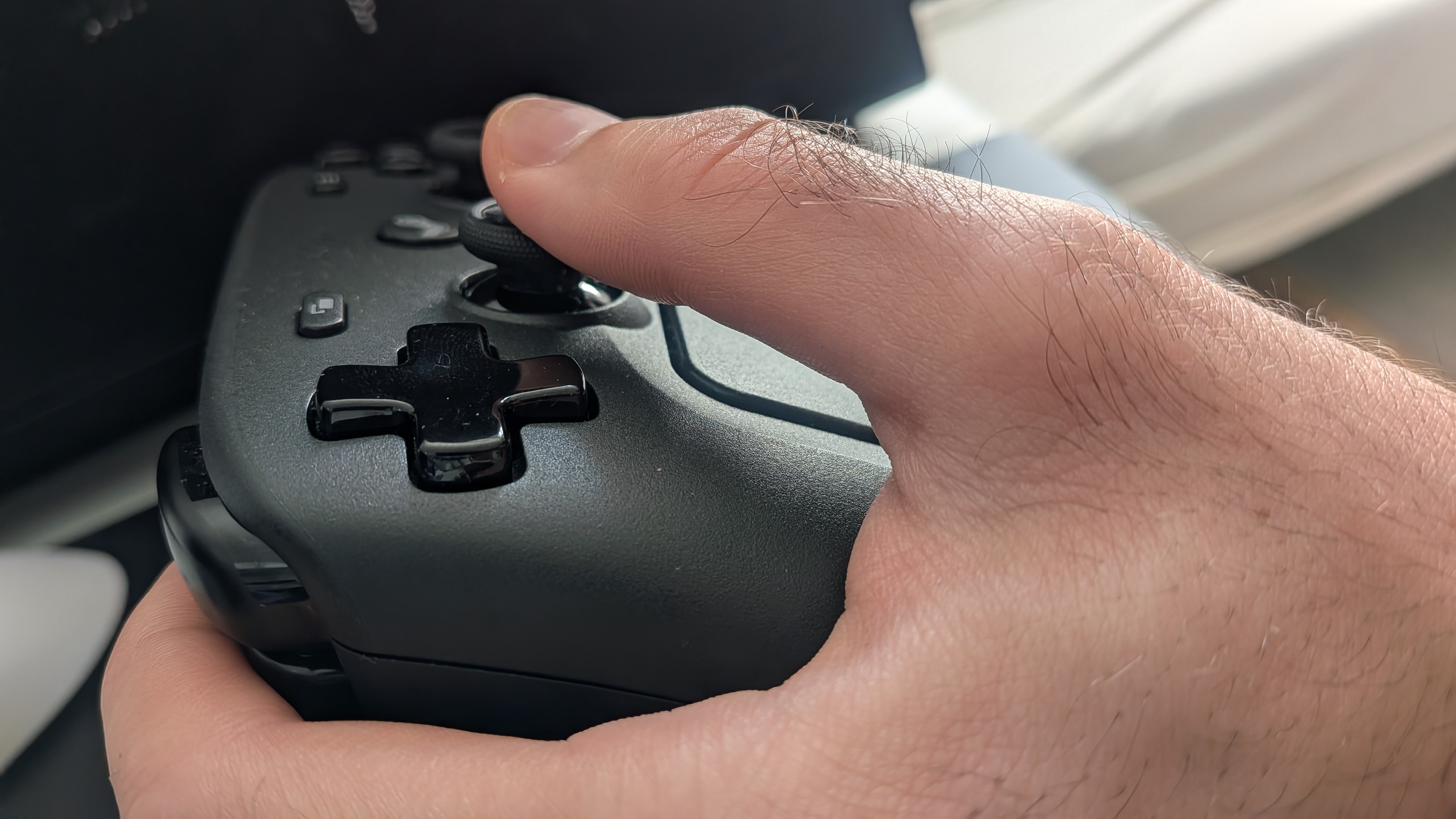
Instead of holding it like a regular controller - which is flat like above, it's much more comfy this way:

o7XIo1Jr13qFnzhH.jpg


When it's a bit more angled. And you have to really relax your grip, no need to grip hard with that one it's has perfect balance - a lot of RD went into this probably.
 
Last edited:
Finally got my gamesir g7 pro 8k last month - it was literally 5 euros more than the g7 pro, that seemed like a no brainer.

Its really good, my only issue atm is the stuttery behavior with the 4k polling rate on linux. Windows is fine but some games in linux just turn into a input delayed mess, a;most like they cant handle the 4k poling rate. No clue why though.
 
Last edited:
Going to give this a try


I actually think it's probably better buy that Apex 5 - since the plastic back paddles tend to break there and Vader 5 has back buttons.

I think they released V2 already. So you might wanna read up on that, which batch is which.

Do let me know if it's good, I had squeaky left stick on Apex 5 and haven't have touched any of their products since.
 
I actually think it's probably better buy that Apex 5 - since the plastic back paddles tend to break there and Vader 5 has back buttons.

I think they released V2 already. So you might wanna read up on that, which batch is which.

Do let me know if it's good, I had squeaky left stick on Apex 5 and haven't have touched any of their products since.

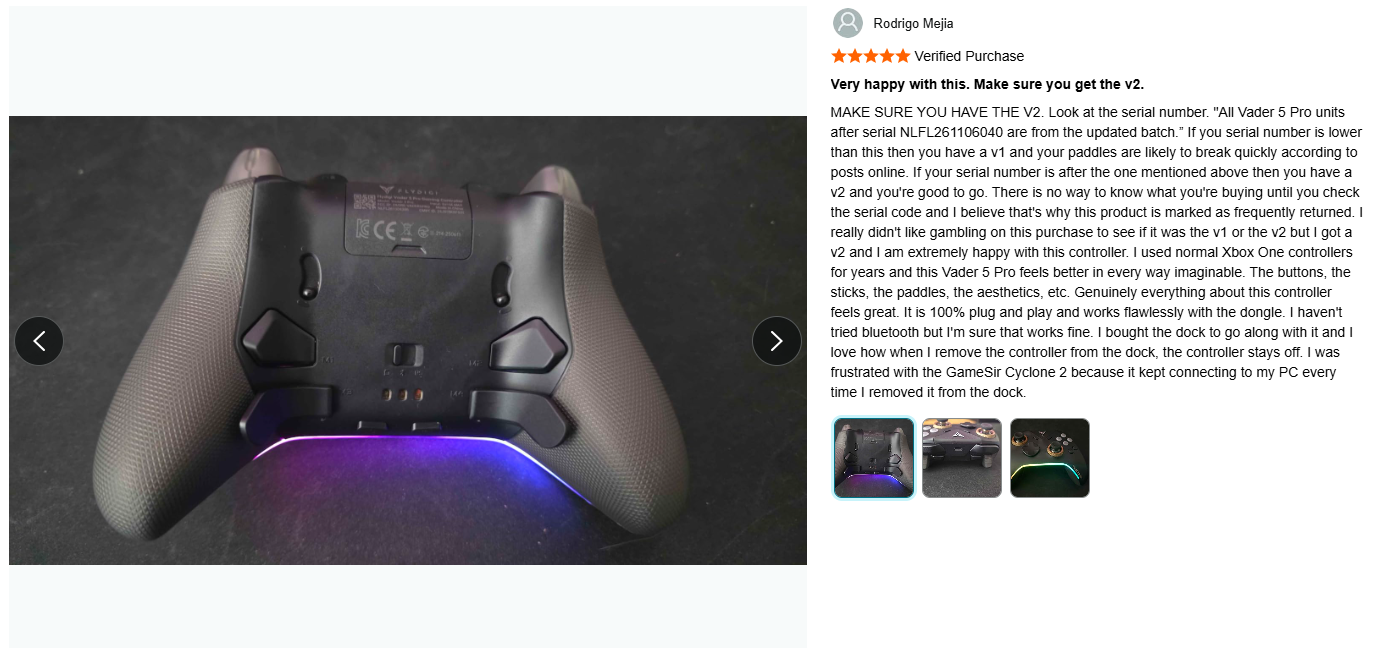
Hmm, don't like that they are not more transparent about their versions. Saw this review on amazon that talks about what you are saying. I'll definitely be checking to make sure I get the V2. Thanks man

TWgZDTvdPVICRzRR.png
 
Hmm, don't like that they are not more transparent about their versions. Saw this review on amazon that talks about what you are saying. I'll definitely be checking to make sure I get the V2. Thanks man

TWgZDTvdPVICRzRR.png
They probably wanna get rid of the old batch.

But it should be marked on the box.

Do order through Amazon though and not directly from FlyDigi - their customer service is meh lately.

V2 gives me hope they ironed out issues I had with Apex 5 sticks, since Vader 5 should use the same modules. I believe some kind of bearing or axis which was inaccessible was the issue.

Some units were fine, others nope - I think even GadgetHyper had some bad batches from time to time.
 
Last edited:
They probably wanna get rid of the old batch.

But it should be marked on the box.

Do order through Amazon though and not directly from FlyDigi - their customer service is meh lately.
V2 gives me hope they ironed out issues I had with Apex 5 sticks, since Vader 5 should use the same modules. I believe some kind of bearing or axis which was inaccessible was the issue.

Some units were fine, others nope - I think even GadgetHyper had some bad batches from time to time.

Got the Vader and honestly, I'm missing the Leadjoy. Vader 5 pro is good. Software is certainly better. Very comfortable. Thing is I don't need grips for the Leadjoy, but I do for the Vader and the grips up against the tension mod. Also Leadjoy comes with the charger while it costs $25 extra for the Vader. So I may end up getting the leadjoy and just not updating the thing. Not sure why these things need to be updated anyway. Everything works fine out of the box.

Going to give the Vader a couple more days and then decide.
 
After using the Vader 5 Pro a bit.......I'm keeping it. Found some grips that are not as thick as control freak and they do not rub so that solves my only issue. The software is very good. Love that I can map any button to a keyboard key. Mapped one of the extra shoulder buttons to F12 for easy screenshots. Not even my Razer Wolverine can do that. Paying extra for the charger making it a bit more expensive than leadjoy. But still......this is a premium controller for about$100 even with the charger. Have to say, I prefer this over Steam controller by quite a lot.
 
Top Bottom